★★★★★
“When you are using the mouse with one hand and the ShuttlePRO with the other, your editing will go exponentially faster. I cannot say enough good things about this.”
JP Fulks

Your left hand spends the day hunting across a keyboard for shortcuts while your right hand drags a timeline with a mouse. The ShuttlePRO v2 puts 15 programmable buttons, a jog dial and a shuttle ring under one hand, and the free control panel loads the right layout automatically the moment you switch apps.

Editors, colorists, retouchers and audio engineers live inside Premiere, Resolve, Final Cut, Photoshop and Pro Tools. The mouse drags the timeline. The other hand keeps reaching across the keyboard for the shortcut it needs. All day.


Every trim, every cut, every grade is another stretch across the keyboard for a key combination you hit a thousand times a day.
Premiere shortcuts are not Resolve shortcuts. Switch apps and your muscle memory is suddenly wrong.
A flat mouse and a keyboard reach, repeated for a full workweek, is how the wrist and forearm strain sets in.
The ShuttlePRO v2 puts 15 programmable buttons, a jog dial and a shuttle ring under your left hand. The free control panel detects the app in focus and loads the right layout automatically, so the same buttons mean the right thing in every program.
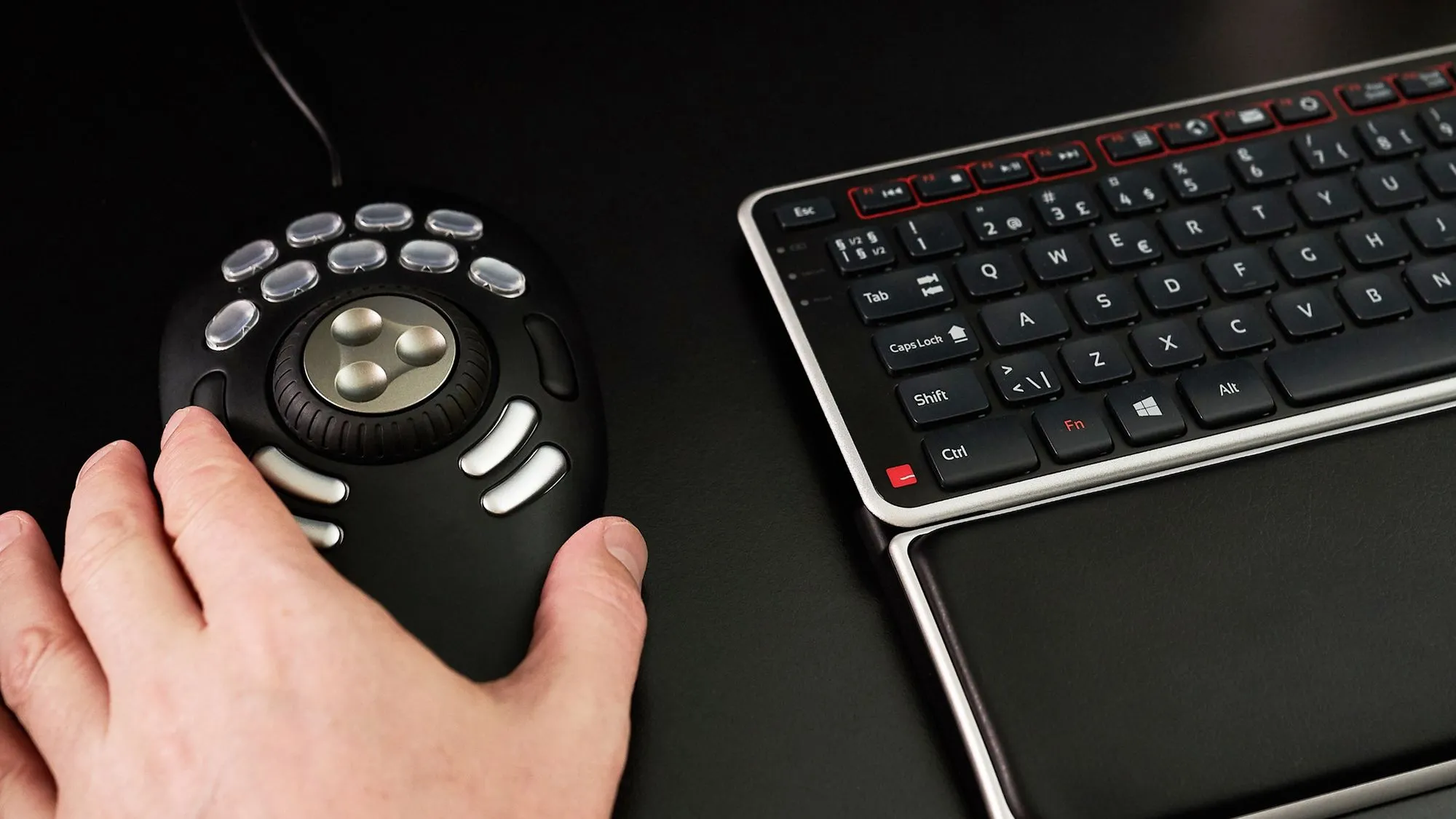
Map trims, cuts, transitions and grades to keys you never leave.
Scrub frame by frame with the dial, fast-forward with the outer ring.
Change apps and the layout follows. No re-mapping, no thinking.
Thirty-nine shortcuts under one hand on the STUDIO Windows layout. Twenty-one on Mac. Eleven on the GO KIT. Every one of them a reach you never make again.

Two steps: choose STUDIO or the GO KIT, then your OS. Your free UniMouse or Laptop Riser is added automatically, your handedness and wired or wireless carried straight to the cart.


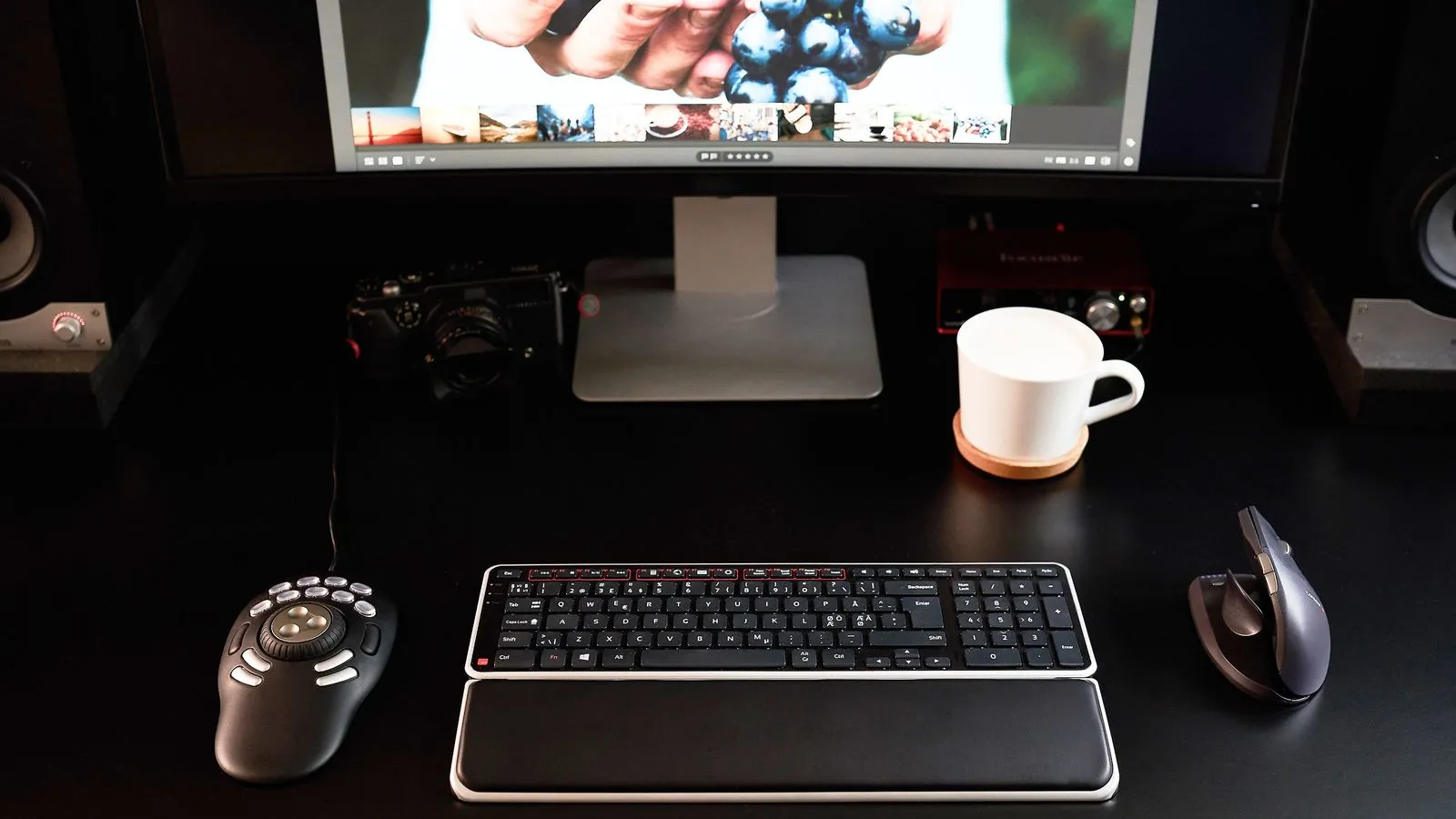
Speed is nothing if your wrist is done by Thursday. Every STUDIO ships with the Universal ArmSupport and the free UniMouse, our fully adjustable vertical mouse, so your hand works in a natural position instead of flat on the desk.
The UniMouse holds your hand at a natural angle to cut wrist strain.
Floats and follows your forearm so your shoulder is not carrying the load.
Fewer keyboard reaches and no mouse-dragging on a timeline.

We will be straight with you: the control panel is a download, and getting it dialled in is the one thing people wish they had known first. So here is the whole thing, up front, in three steps.
Grab the latest driver for your OS from Contour. One file, Windows or Mac.
Connect the ShuttlePRO, open the panel, and it detects the device automatically.
Load the layouts for Premiere, Resolve or Final Cut. It switches between them on its own from there.
Free, from care.contourdesign.com. Support answers driver questions directly.
630 reviews of the Shuttle line · 85% at 4 or 5 stars · most-named job: video editor
“When you are using the mouse with one hand and the ShuttlePRO with the other, your editing will go exponentially faster. I cannot say enough good things about this.”
“The best jog wheel out there for every application. I do video editing and Lightroom most of the time. This is a godsend for arm strain.”
“Feels really good under the hand. Easy to add custom labels. I use it with DaVinci Resolve 18 and it makes my workflow easier and faster.”
“I do a lot of wedding video work and in the short time I have had it, this has proved to be a real time saver. Delivered on time and in good condition.”
“It took me a little while to come to grips with the ShuttlePRO v2 and getting the hardware set up, but the support from Contour was great and now I would not work without it.”
“I love this thing, it saved me so much time and effort. I was looking for a simple controller for iMovie and this was exactly it.”




There is a driver download and a first-time configuration. That is the honest answer, and it is the one thing to do before your first edit. The three steps above cover it, the control panel is free, and Contour support answers driver questions directly. After that the layouts switch on their own.
It is added to your order automatically when you build a bundle. Choose STUDIO and the $89 UniMouse is included at no cost, with your handedness and wired or wireless carried to the cart. Choose the GO KIT and the $79 Laptop Riser is included.
The STUDIO Windows bundle ships the Balance Full-Size Keyboard, Windows layout, wireless. The STUDIO Mac bundle ships the Balance Keyboard, wired, which supports both Mac and Windows layouts. Pick the one that matches your machine.
Over 100, including Premiere Pro, DaVinci Resolve, Final Cut Pro, After Effects, Photoshop, Lightroom, Logic Pro and Pro Tools. Anything not pre-built can be mapped with a custom layout.
30-day money-back guarantee and a 2-year warranty on the hardware. Orders ship in 3 to 5 working days.
We test new layouts and hardware with the editors who use this every day. Leave your email to join the beta tester list and get first access.
No spam. Beta invitations and product news only. Unsubscribe anytime.
Thanks, you are on the list.