Eyes Up. Shoulders Down. The Laptop Stand Is On Us.

Buy Contour Touch and a Balance Full-Size Keyboard and Get the Contour Laptop Stand Free.

Set Up Your Stand

Limited time only

  • 30-Day Money-Back Guarantee
  • Pay in 4 interest-free payments
  • Delivered in 3-5 working days
Silver laptop elevated to eye level using the Contour Laptop Stand to improve posture and reduce neck strain.Contour Laptop StandFree
Front-facing isolated view of the Contour Touch ergonomic trackpad in black.Contour Touch
Contour Balance Full-Size wireless ergonomic keyboard in black with a slim, low-profile design.Balance Full-Size Keyboard

Hunched over a laptop all day? Your neck and shoulders are paying for it.

Contour Touch is the ergonomic Windows touchpad that puts navigation right in front of you, with a high-resolution glass touchpad, click-anywhere control, and a full-size wrist rest, so there's no reaching to the side. Pair it with the Balance Full-Size Keyboard for typing that feels natural, and we'll add the Contour Laptop Stand for free to lift your screen to eye level.

Your favorite gestures work straight out of the box, no learning curve. Just a setup that keeps your shoulders relaxed and your neck happy, all day long.

Touch + Keyboard + Free Stand

  • iF Design Award winner
  • Innovation by Design 2026 Honorable Mention
  • 4/5 from PCMag
  • 9 out of 10 customers say Contour made work more comfortable
  1. Contour Touch centered ergonomic touchpad with an integrated full-size palm rest and smooth glass navigation surface.

    Contour Touch

    Centered, intuitive, immediate.

  2. Contour Balance Full-Size wireless ergonomic keyboard in black with a slim, low-profile design.

    Balance Full-Size Keyboard

    Typing That Feels Natural.

  3. Contour Laptop Stand

    Contour Laptop Stand

    Lightweight, adjustable, and built for any desk.

    Free

Set Up Your Stand

Limited time only

  • 30-Day Money-Back Guarantee
  • Pay in 4 interest-free payments
  • Delivered in 3-5 working days

As seen on

  • Featured on PC Mag
  • Featured on Business Insider
  • Featured on Tom's Hardware
  • Featured on Yahoo Finance
  • Featured on Forbes

Designed for Your Comfort

By encouraging you to reduce your harmful movements and strain, and using a laptop stand along with an external keyboard and mouse, you are promoting a good ergonomic posture while you are computing.

1

Contour Laptop Stand

Silver laptop elevated to eye level using the Contour Laptop Stand to improve posture and reduce neck strain.

This laptop stand allows the user to elevate the laptop display or tablet to eye level at an optimal distance from the user. By using the laptop stand, the neck, back, and shoulder discomfort and strain caused by long-term laptop use are a thing of the past.

  • Free
  • Portable
  • Adjustable
  • Lightweight
2

Contour Touch

Front-facing isolated view of the Contour Touch ergonomic trackpad in black.

Contour Touch is your ticket to a more comfortable, productive workday on a Windows computer. Its centered design keeps shoulders and neck relaxed for all-day comfort, and that without mentioning the integrated wrist rest.

  • Wired
  • Wireless
  • Smooth Precision
  • All-Day Comfort
3

Balance Full-Size Keyboard

Contour Balance Full-Size wireless ergonomic keyboard in black with a slim, low-profile design.

Its low profile and negative tilt align your hands, wrists, and shoulders in a natural position, reducing strain and maximizing comfort. Pair this Windows layout keyboard with Contour Touch for the most centered setup.

  • Wired
  • Wireless
  • Centered Fit
  • Typing Comfort
Set Up Your Stand

Limited time only

Centered ergonomic touchpad layout showcasing the elimination of side-reach for better posture.
1

Experience Precision

  • Long hours with a traditional mouse can leave you tense and frustrated, holding you back from your best work. It’s not just uncomfortable, it’s a productivity killer.

  • Contour Touch changes that. Its centered design and smooth glass surface keep your hands in a natural position, reducing shoulder strain and boosting comfort.

Honestly, centered design is a lifesaver to my sore shoulders.

K.Y.
Contour Balance Full-Size keyboard paired with Contour Touch trackpad for a centered, ergonomic workstation.
2

Experience All-Day Comfort and Control

  • You’ve optimized your mouse. You’ve improved your posture. But if your keyboard’s still forcing your arms outward or your wrists upward, you’re not quite there yet.

  • Balance Keyboard brings everything into alignment. It eliminates the awkward gaps and angles that disrupt your flow, and replaces them with centered comfort that works in harmony with your body.

Typing feels top-tier. Super smooth, soft and no missed strokes.

D.G.

Work Miracles

Contour devices bring lasting comfort and effortless control to your workday.

  • 9 out of 10 Customers9 out of 10 Contour customers say our products made their computer work more comfortable.
  • 30 Years Of Innovation30 years of ergonomic innovation packed into every Contour product.
  • Thousands Of CustomersThousands of professionals have already made the switch, and stayed with us for life.
  • 3 in 4 Ergo Mouse Users3 in 4 ergonomic mouse users say pairing with the right keyboard feels more comfortable.

Discover What Makes Touch a Game-Changer

High Level Of Comfort

With a full-size wrist rest, you get truly comfortable wrist and palm support while using your computer. The smooth surface provides frictionless transition between typing and mousing or computer navigation.

Familiar, High-Performing Interaction

The high-resolution touchpad has a smooth surface for precise, effortless finger movements. The click-anywhere feature lets you interact naturally

Advanced Productivity

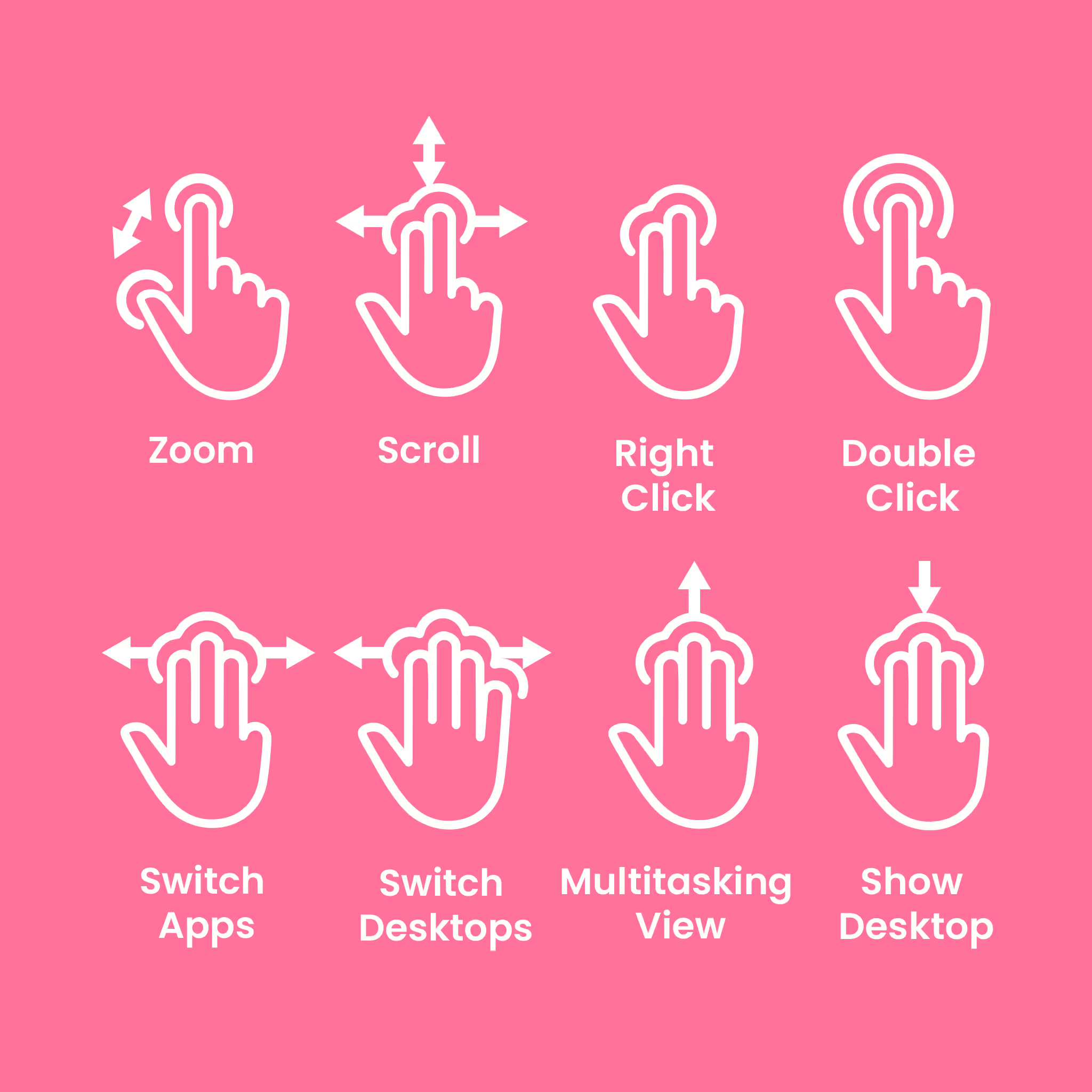
There is native support for the usual Windows finger commands: scroll, zoom, back and forward navigation to keep you productive while on your computer.

Customizable Experience

Touchpad speed settings and commands can be changed in the Windows settings menu or on the App, so you can customize your touchpad to your needs.

Set Up Your Stand

Limited time only

FAQs

Got questions? We’ve got answers!

Will I have to relearn how to use my computer with this?

Contour Touch works just like a traditional touchpad and requires no special training or getting used to. It’s design to be very intuitive. No learning curve, just comfortable from the start.

Is it compatible with my computer setup?

The Contour Touch has plug-and-play compatibility with Windows, laptops and desktops, and works with external keyboards. The wireless version comes with a USB-Type C charging cable. The wired version of Contour Touch comes with a USB Type-C cable.

Can I be productive with this, or will it slow me down?

The Contour Touch brings gesture-based productivity, has programmable shortcuts, and click-anywhere functionality. It’s designed and built for power users and professionals, specifically to improve workflow and productivity.

Will the wrist rest really be comfortable enough?

Yes, the wrist rest is made to support your hands in a natural, relaxed position. It keeps your wrists straight and your shoulders at ease, so you can work comfortably for hours. The wrist rest isn’t just thin and good-looking, it’s firm enough to give real support, while still soft to the touch, so your hands feel both stable and comfortable.

Can I pair the keyboard with multiple devices?

Yes! You can pair the keyboard with up to 3 devices at once. Furthermore, once paired, you can switch between devices easily by short pressing the QuickSwitch button.

What kind of batteries does it use and how long do they last?

The Contour Balance Full-Size Keyboard is available as a wireless version that comes with an integrated rechargeable battery. A full battery lasts up to 3 months.

Try it for 30 days. If it doesn't make your workday more comfortable, send it back for a refund.

See our Returns Policy for details.

Set Up Your Stand

Limited time only

  • Free $54 Laptop Stand with Touch + Keyboard
  • Pay in 4 interest-free payments
  • Delivered in 3-5 working days